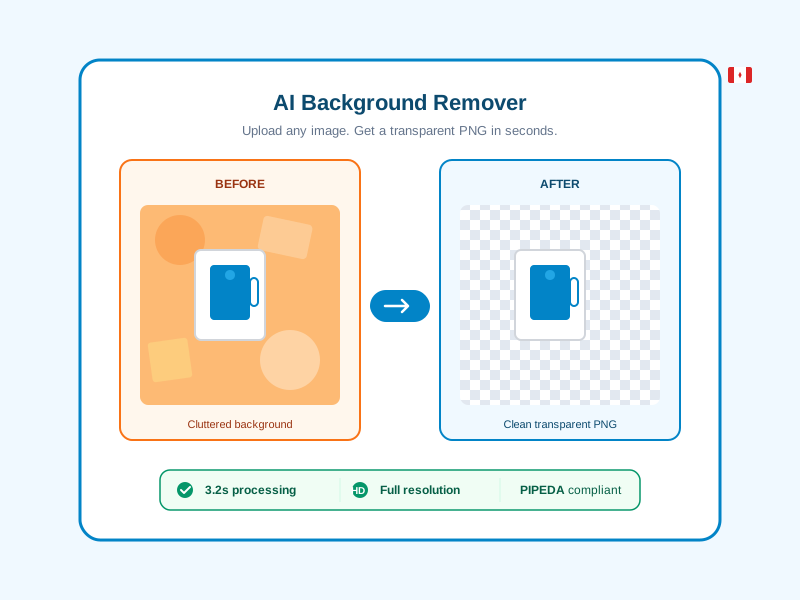
Need to remove the background from a photo? Whether you are preparing product shots for your Shopify store, cleaning up a headshot for LinkedIn, or isolating a logo for a presentation — you need a tool that is fast, accurate, and does not compromise your privacy.
Mobily's AI Background Remover does exactly that. Upload any image, get a clean transparent PNG in under 5 seconds. No software to install. No watermarks. No account required to try it.
How AI Background Removal Works
Traditional background removal meant hours in Photoshop, carefully tracing edges with the pen tool. AI has changed that completely.
Modern deep learning models analyze your image pixel by pixel, identifying the foreground subject — whether that is a person, product, pet, or object — and separating it from the background with remarkable precision. The AI handles the hard parts automatically:
- Fine hair and fur — individual strands are preserved, not clipped
- Semi-transparent objects — glass, smoke, and veils maintain their transparency
- Complex backgrounds — busy scenes, gradients, and multi-coloured backgrounds are handled cleanly
- Multiple subjects — group photos and product arrangements work just as well
The result is a full-resolution transparent PNG ready to use anywhere — on your website, in marketing materials, on Amazon listings, or in design projects.
Why Canadian Businesses Choose Mobily for Background Removal
Most background removal tools are based in the US or Europe. Your images pass through foreign servers, stored in jurisdictions with different privacy laws. For Canadian businesses handling client photos, product images, or employee headshots, this creates a compliance gap.
Mobily is different:
- PIPEDA compliant — your images are processed under Canadian privacy law
- Automatic deletion — all uploaded images and results are permanently deleted within 24 hours
- Canadian hosted — data never leaves Canadian infrastructure
- No training — your images are never used to train AI models
This matters if you are a photographer handling client portraits, a retailer processing product photos, or any business where image privacy is not optional.
Who Uses AI Background Removal?
E-Commerce Sellers
Amazon, Shopify, and Etsy all recommend or require white background product photos. Instead of hiring a photographer or spending hours in Photoshop, upload your product shot and get a clean cutout in seconds. Place it on white, add a lifestyle background, or use it as-is.
Marketers and Social Media Managers
Creating ad creatives, social posts, and email banners often requires isolating subjects from their backgrounds. With AI removal, you can produce dozens of variations in the time it used to take to make one.
Photographers and Designers
Batch process headshots for corporate clients. Isolate elements for composite images. Remove distracting backgrounds from event photos. The AI handles the tedious masking work so you can focus on the creative.
Real Estate Professionals
Clean up property photos, remove clutter from interior shots, or isolate furniture for staging mockups. Background removal turns ordinary listing photos into professional-grade marketing material.
Free Background Remover vs Paid Tools
There are dozens of background removal tools available. Here is how to think about the choice:
Free tools with watermarks — defeat the purpose. If you need the image for anything professional, a watermark makes it unusable.
Free tools with low resolution — give you a preview but charge for the full-size download. Fine for testing, frustrating for real work.
Pay-per-image tools — expensive at scale. Processing 50 product photos at $0.50 each costs $25 every time.
Mobily's approach — background removal is included with your Mobily plan. Free accounts get 1 removal per month to try it. Starter ($19 CAD/mo) includes 50 removals. Pro ($49/mo) includes 200. Business ($129/mo) includes 500. No watermarks, no resolution limits, no per-image fees.
And because it is bundled with link shortening, QR codes, bio pages, and analytics — you are getting an entire marketing toolkit, not just a background remover.
How to Remove a Background with Mobily
- Go to mobily.ca/remove-background
- Upload your image — drag and drop or click to select. Supports PNG, JPEG, and WebP up to 10MB.
- Wait 3-5 seconds — the AI processes your image automatically.
- Download your transparent PNG — full resolution, no watermark, ready to use.
That is it. No software to install, no Photoshop skills required, no account needed for your first free removal.
Tips for Best Results
- Use high-resolution images — the AI produces cleaner edges with higher resolution source files
- Good lighting helps — well-lit subjects with contrast against the background give the best results
- Avoid heavy compression — JPEG artifacts can confuse edge detection. Use PNG or high-quality JPEG when possible
- Centred subjects work best — ensure the main subject is clearly visible and not cropped at the edges
Get Started
Try it now — remove your first background for free. No account required. If you need more than one removal per month, check our plans starting at $19 CAD/month with 50 removals included.
Every plan also includes link shortening with analytics, QR code generation, bio link pages, and digital business cards. One platform, one subscription, everything a Canadian business needs for their online presence.