If you have ever tried to put more than one link in your Instagram bio, you have already encountered the problem that bio link tools were built to solve. Instagram, TikTok, and most other social platforms allow exactly one clickable URL in a creator's profile. For businesses and creators with multiple destinations — a website, an online store, a newsletter, a podcast, a YouTube channel — that single link slot is a bottleneck.
Linktree pioneered the solution: a simple landing page hosting all your links, condensed into one shareable URL. It worked, and it grew fast. Today Linktree claims over 50 million users worldwide. But "most popular" and "best for you" are not the same thing — especially if you are a Canadian creator, business owner, or marketer with specific privacy, customization, and ownership requirements.
This guide covers what bio links are, why Canadian creators specifically are moving away from Linktree, and how Mobily's bio link feature addresses those gaps.
What Are Bio Links and Why Do You Need One?
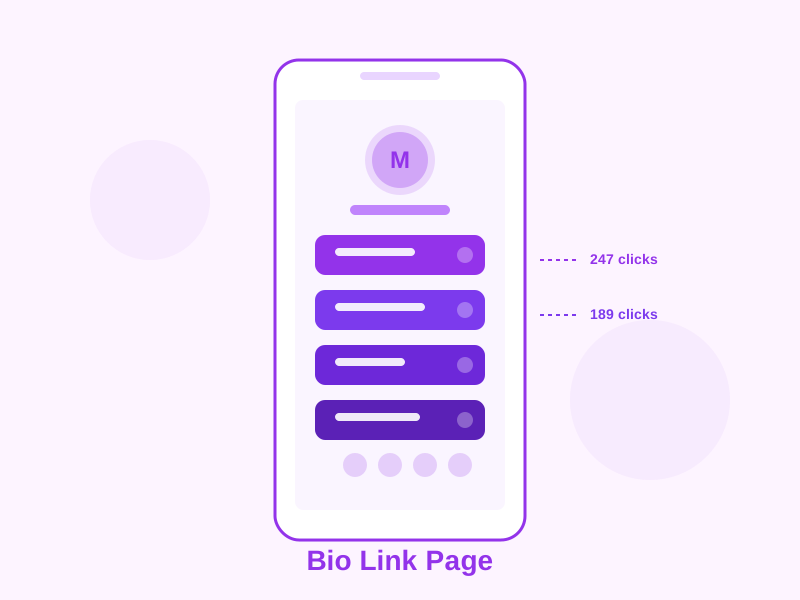
A bio link (also called a "link in bio" page) is a simple, mobile-optimized landing page that aggregates multiple links in one place. You put the single URL to your bio link page in your social media profile, and visitors who click it see all your destinations presented clearly.
The use case is straightforward, but the business impact is real. Without a bio link, you have to choose: promote your shop, your newsletter sign-up, your latest blog post, or your podcast? With a bio link page, you promote all of them simultaneously, and you can track which ones your audience actually clicks.
Who Uses Bio Link Pages?
- Content creators and influencers — link to YouTube, Patreon, merchandise, brand partnerships, and contact forms simultaneously
- Small businesses — connect social followers to the website, online store, booking page, and Google Maps listing
- Musicians and artists — stream links for all platforms (Spotify, Apple Music, Bandcamp) plus tour dates and merch
- Podcasters — link every platform where your show is available, plus episode notes and sponsor codes
- Non-profits — donation page, volunteer sign-up, event registration, and newsletter in one place
- Freelancers — portfolio, contact form, LinkedIn, and booking calendar accessible from one link
The Limitations of Linktree That Canadian Users Are Discovering
Linktree's free plan has become progressively more restrictive as the company has shifted toward monetizing its user base more aggressively. Here is what Canadian users run into:
Linktree Branding You Cannot Remove Without Paying
Every Linktree free page displays "Made with Linktree" branding prominently at the bottom of the page. For individual creators testing the tool, this is a minor annoyance. For businesses that care about brand consistency — and all businesses should — it looks unprofessional. Removing this branding requires upgrading to Linktree's Starter plan, which costs USD $5/month billed annually.
Limited Customization on Free
Free Linktree pages are restricted to a handful of preset themes. Custom colours, custom backgrounds, and profile customization beyond the basics are locked behind paid tiers. The result is that most Linktree free pages look nearly identical to each other, undermining the brand differentiation that should be the point of the exercise.
Analytics Locked Behind a Paywall
Knowing which links your audience clicks is arguably the most valuable feature of a bio link page. On Linktree free, analytics are severely limited — you cannot see click-through rates per link, traffic sources, or device breakdowns without upgrading. You are publishing a page without knowing if it is working.
Privacy Concerns Under PIPEDA
This is where the issue becomes specifically Canadian. Linktree is an Australian company that processes and stores user data — including data about your Canadian audience's clicks — on servers in the United States and Australia. Canada's Personal Information Protection and Electronic Documents Act (PIPEDA) imposes obligations on Canadian businesses about how personal information is collected, processed, and where it is stored.
While Linktree's collection of IP addresses and device identifiers from your page visitors may or may not constitute personal information under PIPEDA depending on context, Canadian businesses in regulated sectors (healthcare, finance, legal) or those with privacy-conscious audiences should understand exactly where their audience's data is going. A tool built by a Canadian company that stores data in Canada eliminates that ambiguity entirely.
USD Pricing Without Canadian Context
Linktree prices in USD. For Canadian creators, the effective cost after the exchange rate (typically 35-40% premium) is meaningfully higher than the listed price. A tool priced in CAD with Canadian billing removes that hidden cost.
What Mobily Bio Links Offers Instead
Mobily is a Canadian company, built in Canada, operating under Canadian privacy law. Our bio link feature was designed from the ground up with the needs of Canadian creators and businesses in mind. Here is what that looks like in practice.
No Forced Branding on Any Plan
Mobily does not plaster our logo on your bio link page. Your page represents your brand, not ours. This holds true on the free plan. When your followers land on your bio link page, they see your name, your photo, your colours, and your links — not a tool's advertisement.
Full Customization Options
Bio link pages on Mobily support:
- Custom profile photo and display name
- Custom background colour or gradient
- Button style selection (rounded, square, outlined, filled)
- Button colour and text colour customization
- Custom link icons (Font Awesome icon library)
- Bio text / tagline below your profile photo
- Social media icon row (Instagram, Twitter/X, TikTok, LinkedIn, YouTube, and more)
- Link ordering with drag-and-drop reordering
- Link scheduling (set active and expiry dates per link)
Per-Link Click Analytics
Every link on your bio page is tracked individually. You can see total clicks per link, click-through rate relative to page visits, and traffic trends over time. This data is available on all plans, including free — because understanding what your audience engages with should not be a premium feature.
Integration with Short Links and QR Codes
Because Mobily is a full link management platform — not just a bio link tool — your bio link page integrates naturally with the rest of your link infrastructure. You can use Mobily short links as your bio link destinations (which gives you per-destination analytics separate from the bio page itself), and you can generate a QR code for your bio link page for use in print materials, business cards, or conference signage.
PIPEDA-Aligned Data Handling
Mobily operates under Canadian law and processes data in accordance with PIPEDA. Click data collected on your bio link page is not shared with third-party advertisers, is not used to build profiles of your audience, and is retained only as long as needed for the analytics features you use. For Canadian businesses in regulated sectors or those making privacy promises to their audiences, this matters.
How to Set Up Your Mobily Bio Link Page: Step by Step
Getting your bio link page live on Mobily takes about five minutes. Here is the complete process:
Step 1: Create Your Free Account
Go to mobily.ca/register and sign up with your email address. The free plan is active immediately — no credit card required, no trial period, no time limit.
Step 2: Navigate to Bio Links
From your dashboard, click "Bio Links" in the left sidebar. Click "Create New Bio Link Page" to open the editor.
Step 3: Set Up Your Profile Section
Upload your profile photo (a square image works best — 400x400 pixels or larger). Enter your display name and a short bio or tagline. This section appears at the top of your page and is the first thing visitors see.
Step 4: Add Your Links
Click "Add Link" and enter the title and URL for each destination you want to feature. Add as many links as your plan allows. Give each link a descriptive, action-oriented title — "Listen on Spotify" outperforms "Spotify" because it tells the visitor exactly what clicking does.
To add social media icons, use the dedicated social icons section rather than adding social profiles as regular links. Social icons display as a compact row of clickable icons below your bio text, keeping the visual hierarchy clean.
Step 5: Customize the Appearance
Use the design panel to choose your background, button style, and colour palette. Preview your changes in real time in the page preview panel on the right side of the editor. Make sure the page looks good on mobile — that is where the vast majority of your visitors will come from.
Step 6: Publish and Copy Your URL
Click "Publish." Your bio link page is now live at a URL in the format mobily.ca/b/yourhandle (or your custom domain if you are on a Pro or Business plan). Copy this URL and paste it into the link field in your Instagram, TikTok, Twitter/X, or any other social media bio.
Step 7: Monitor Your Analytics
After your page has been live for a few days, revisit the analytics section to see which links are getting the most clicks. Use this data to reorder your links (most clicked near the top), update link titles if some are underperforming, and make decisions about which destinations to promote in your social content.
Bio Link Best Practices for Canadian Creators
Limit Your Links to What Actually Matters
More links is not automatically better. Studies consistently show that pages with 5-7 well-chosen links outperform pages with 15+ links in terms of total click-through. Too many options cause decision paralysis. Prioritize ruthlessly: feature the links that align with your current goals, and archive or hide the rest.
Update Your Page Seasonally
Your bio link page should reflect your current priorities, not the links you had set up six months ago. Build a habit of reviewing your bio link page at the start of each month. Remove links to outdated content, add links to current campaigns, and make sure the ordering still reflects what you most want people to click.
Use Action-Oriented Link Titles
"Subscribe to my newsletter" performs better than "Newsletter." "Book a free call" performs better than "Book a call." "Shop the spring collection" performs better than "Shop." The verb matters — it sets an expectation and creates momentum.
Match Your Bio Page to Your Brand
Use the same colours, fonts (where possible), and tone of voice as your main website and social channels. Your bio link page is an extension of your brand. Consistency builds trust, and trust drives clicks.
Free Plan vs. Paid Plans: What You Actually Get
Mobily's free plan gives you a fully functional bio link page with no time limit and no branding imposed on your visitors. You can add up to the free plan's link limit, customize your appearance, and view click analytics.
Upgrading to a paid plan unlocks higher link limits, custom domain support (publish your bio page at links.yourdomain.com instead of a Mobily subdomain), advanced analytics with longer data retention, link scheduling, priority support, and the ability to remove any Mobily attribution from shared links. Plans start at $19/month CAD.
Make the Switch Today
If you are currently on Linktree's free plan and frustrated by the branding, the limited analytics, or the growing sense that a US-based platform is not the right fit for your Canadian audience's data — Mobily is the alternative built for you.
Create your free Mobily account and have your bio link page live in five minutes. Bring your existing links over, customize the look to match your brand, and start seeing actual data about what your audience is clicking. No credit card required, no trial countdown, no "Made with Mobily" stamped across your page.
Your link in bio slot is prime real estate. Make it work as hard as you do.