Here is a situation that happens to marketers everywhere, every week. You run a campaign across email, social media, and a paid ad campaign. Traffic to your website increases. Conversions go up. But when someone asks which channel drove the results, you cannot say with confidence. You have outcome data but no attribution data.
UTM parameters solve this problem. They tell your analytics platform exactly where each visitor came from, what campaign brought them, and what specific element they clicked. When used correctly and consistently, UTM parameters transform your analytics from a traffic dashboard into a true marketing attribution system.
This guide covers everything you need to know — from the definition of each UTM field to best practices, common mistakes, and how to build UTM links efficiently using Mobily's UTM builder.
What Are UTM Parameters?
UTM stands for Urchin Tracking Module. The name comes from Urchin Software, the web analytics company Google acquired in 2005 and rebranded as Google Analytics. The UTM parameter system was inherited from that acquisition and has become the universal standard for campaign tracking across virtually every analytics platform — Google Analytics, Adobe Analytics, Mixpanel, Amplitude, and dozens of others all read UTM parameters natively.
Technically, UTM parameters are query string values appended to a URL. They do not change where the link goes — the destination page is identical whether UTM parameters are present or not. They simply pass additional metadata to the analytics platform when a user arrives at the page.
A URL with UTM parameters looks like this:
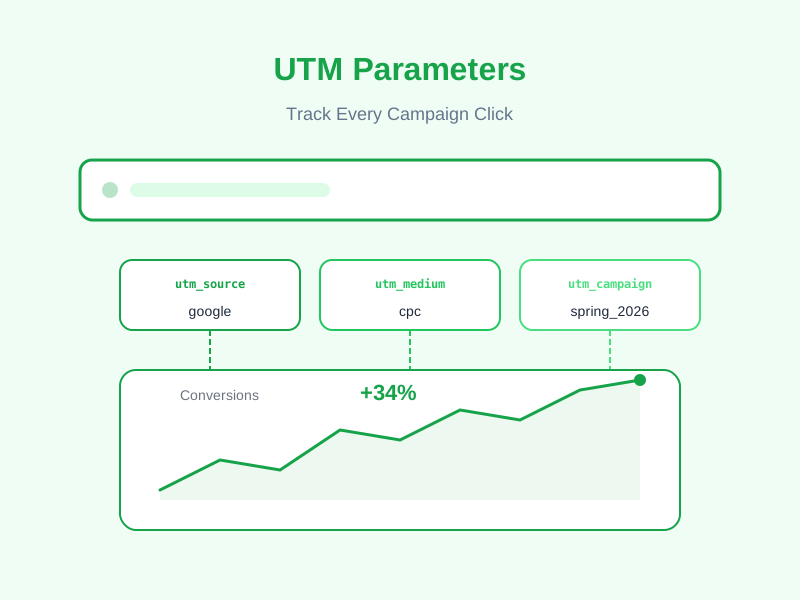
https://mobily.ca/register?plan=free&utm_source=newsletter&utm_medium=email&utm_campaign=march_launch&utm_content=cta_button&utm_term=free+planWhen a visitor arrives via this link, Google Analytics records not just that they visited the page, but that they came from the newsletter, via email, as part of the march_launch campaign, clicked the cta_button variant, and arrived with "free plan" as the keyword context.
The 5 UTM Parameters Explained
There are five standard UTM parameters. Three are effectively required for any campaign tracking to be meaningful. Two are optional but add significant precision when used.
utm_source (Required)
The source identifies the origin of the traffic — which platform, publication, or partner sent the visitor to you.
Examples:
utm_source=google— traffic from Googleutm_source=facebook— traffic from Facebookutm_source=mailchimp— traffic from your Mailchimp email campaignsutm_source=newsletter— traffic from your own newsletter (if self-hosted)utm_source=partner_blog— traffic from a specific partner publicationutm_source=linkedin— traffic from LinkedIn
Rule: Source should be the name of the platform or entity, not the type of traffic. "Google" is a source. "Organic" is a medium.
utm_medium (Required)
The medium identifies the marketing channel or type of traffic. While source tells you who sent the traffic, medium tells you how.
Examples:
utm_medium=cpc— cost-per-click paid advertisingutm_medium=email— email marketingutm_medium=organic— organic social or organic search (though for organic search, UTMs are rarely used)utm_medium=social— social media (organic posts)utm_medium=referral— traffic from another websiteutm_medium=affiliate— affiliate partner trafficutm_medium=display— display or banner advertisingutm_medium=sms— SMS or text message campaigns
Rule: Standardize your medium values across your entire organization and stick to them. If some team members use "email" and others use "Email" or "e-mail," Google Analytics treats these as three different mediums. Consistent casing and terminology are essential.
utm_campaign (Required)
The campaign parameter identifies the specific marketing initiative, product launch, promotion, or campaign this link is part of. This is the value you will use most often to evaluate whether a specific campaign drove results.
Examples:
utm_campaign=spring_sale_2026utm_campaign=product_launch_v2utm_campaign=abandoned_cart_sequenceutm_campaign=brand_awareness_q1utm_campaign=holiday_promo
Rule: Use consistent naming conventions. A common format is [type]_[description]_[date or quarter]. For example: email_welcome_series_q1_2026 or social_product_launch_mar2026. Whatever format you choose, document it and share it with your team so everyone follows the same pattern.
utm_content (Optional but Valuable)
The content parameter differentiates between multiple links within the same campaign and medium. It is most useful for A/B testing creative variations or for distinguishing between multiple CTAs in the same email or page.
Examples:
- Two different banner ads in the same campaign:
utm_content=banner_bluevs.utm_content=banner_red - Two CTAs in the same email:
utm_content=header_ctavs.utm_content=footer_cta - Two link placements in a newsletter:
utm_content=inline_linkvs.utm_content=button_link - Two ad copy variants:
utm_content=copy_v1vs.utm_content=copy_v2
When you are tracking at this level of granularity, utm_content becomes a powerful tool for creative optimization — you can see precisely which visual or copy variant drives the most clicks and conversions.
utm_term (Optional)
The term parameter was originally designed for paid search campaigns to capture the keyword that triggered the ad. Google Ads can pass this automatically using the {keyword} ValueTrack parameter. In modern usage, it has expanded slightly to capture any keyword or targeting information relevant to the context.
Examples in paid search:
utm_term=free+link+shortenerutm_term=url+shortener+canadautm_term=qr+code+generator
Using utm_term beyond paid search: Some marketers use it to capture audience segment targeting in social advertising (e.g., utm_term=retargeting_cart_abandoners) or to capture the specific topic of the email that contained the link (e.g., utm_term=link_management_tips). This is non-standard but can add useful context in reporting.
How to Build UTM Links Without Errors
Manually constructing UTM URLs is error-prone. A single misplaced ampersand, an accidental space in a parameter value, or an inconsistency in capitalization can corrupt your analytics data. The right approach is to use a dedicated UTM builder.
Mobily's UTM builder provides a form-based interface where you enter each parameter in a separate field, and the tool constructs the correctly encoded URL automatically. It handles URL encoding (converting spaces to + or %20, encoding special characters), ensures consistent formatting, and lets you copy the finished URL in one click.
Manual URL Construction Rules (If You Must)
If you are building UTM URLs manually without a tool, follow these rules precisely:
- Append parameters after a
?if the URL has no existing query string, or after&if it already has parameters. - Separate each UTM parameter from the next with
&. - Replace spaces in parameter values with
+or%20. Never include literal spaces. - Use lowercase only for all parameter values — analytics is case-sensitive.
- Do not include special characters like
#,&, or=inside parameter values without URL-encoding them.
UTM Naming Convention Best Practices
The single most common UTM mistake is inconsistent naming. If your email team uses utm_medium=Email, your social team uses utm_medium=social-media, and your paid team uses utm_medium=PPC, your analytics reports will be fragmented and unusable for cross-channel comparison. Standardization is not optional — it is the foundation of accurate attribution.
Recommended Convention: Lowercase, Underscores, Descriptive
Use all lowercase letters. Use underscores (_) to separate words, not hyphens (-) or spaces. Be descriptive enough that a report reader who did not create the campaign can understand what they are looking at six months later.
Good examples:
utm_source=instagram,utm_medium=social,utm_campaign=spring_sale_2026utm_source=mailchimp,utm_medium=email,utm_campaign=welcome_series,utm_content=email_3_ctautm_source=google,utm_medium=cpc,utm_campaign=brand_search,utm_term=mobily+link+shortener
Poor examples:
utm_source=Instagram(inconsistent casing)utm_campaign=Campaign 1(spaces, generic name)utm_medium=e-mail(hyphen, non-standard spelling)utm_source=test(meaningless after the fact)
Document Your Conventions in a Shared Reference
Create a simple spreadsheet or shared document that lists your approved values for each UTM field, along with the context in which each value should be used. Share it with every person on your team who creates links. Review and update it quarterly.
This document is the difference between analytics data that tells a clear story and analytics data that is technically present but practically unusable.
Common UTM Mistakes That Corrupt Your Data
UTM Parameters on Internal Links
Never add UTM parameters to links between pages on your own website. When a visitor lands on your homepage from a UTM-tagged external link, your analytics correctly records the source/medium/campaign. If that visitor then clicks an internal link on your homepage that also has UTM parameters, those internal UTMs overwrite the original attribution — and you lose the record of where the visitor actually came from.
UTM parameters are for external links pointing to your site. Internal links should be clean URLs with no UTM parameters.
Forgetting to Tag Links Consistently Within a Campaign
If you send an email with five links and only three of them have UTM parameters, your campaign reports will be incomplete. Any clicks on the untagged links will appear as "direct" traffic in your analytics — effectively making those clicks invisible to your campaign attribution. Tag every external link in every campaign, without exception.
Using UTMs on Redirect Chains
If your UTM-tagged URL goes through a redirect before reaching the final destination — for example, through a link shortener that does not preserve UTM parameters — the parameters may be dropped. Always verify that your link shortener passes UTM parameters through to the final URL intact. Mobily's short links preserve all query parameters including UTM values by default.
Not Connecting UTM Data to Conversions
Knowing which campaigns drive traffic is useful. Knowing which campaigns drive conversions is transformational. Make sure your Google Analytics (or equivalent) goals, conversions, and e-commerce tracking are properly configured so you can see not just the UTM source of visitors, but the UTM source of customers. Cost-per-acquisition by campaign is the metric that justifies or challenges every dollar of marketing spend.
How to View UTM Data in Google Analytics 4
In Google Analytics 4, UTM data appears in several reports:
- Acquisition > Traffic Acquisition — shows sessions by source/medium combination. Filter by campaign to see specific UTM campaign data.
- Acquisition > User Acquisition — shows first-touch attribution by source/medium, useful for understanding where new users originate.
- Reports > Search by dimension — search for "Session campaign" or "Session source/medium" to pull any of the five UTM values as dimensions in custom reports.
- Explore > Free-form exploration — build custom reports crossing UTM dimensions against conversion metrics for full attribution analysis.
UTM Parameters and Short Links: The Ideal Combination
UTM-tagged URLs tend to be long — often 150+ characters when all five parameters are included. These long URLs are:
- Ugly in social media posts (Twitter/X will still display the full URL in some contexts)
- Prone to breaking when copied across line breaks in email clients
- Opaque to recipients, potentially reducing trust and click rates
- Difficult to include in print materials
The solution is to create your UTM-tagged long URL first, then wrap it in a short link. The short link is what you share publicly. When clicked, it redirects to the full UTM-tagged URL, passing all parameter values through to analytics. Recipients see a clean branded short URL; your analytics platform receives the full attribution data.
Mobily's UTM builder and link shortener work together: build your UTM URL in the builder, then optionally shorten it in one step before copying it for use in your campaign. You get the best of both worlds — clean shareable URLs and complete analytics attribution.
Start Tracking Every Campaign Click
UTM parameters are not a complex or technical topic — they are a discipline. The tools are free, the implementation is straightforward, and the payoff is complete visibility into what your marketing efforts are actually producing. The teams that use UTM parameters consistently and correctly make better budget decisions, catch underperforming campaigns earlier, and compound their learning from each campaign into the next.
Ready to build your first properly tagged campaign link? Create your free Mobily account and use the built-in UTM builder to generate, shorten, and track your campaign URLs — all in one place. No spreadsheets, no manual URL construction, no corrupted data from encoding errors.
Every campaign you run from this point forward should have UTM parameters on every link. Start now, and you will thank yourself the next time someone asks which channel actually drove results.