Phishing links, malware downloads, and redirect chains that land on scam pages are not rare edge cases. They are a daily operational risk for anyone who receives links in email, chat, or social media. The good news is that checking a link before you click it takes about ten seconds with the right tool.
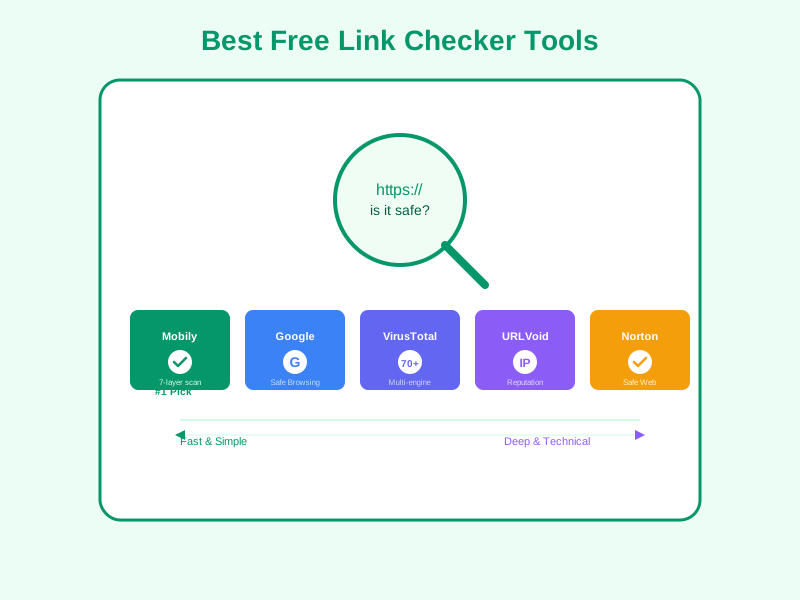
This review covers five free link checker tools available in 2026, evaluated on four criteria: speed, depth of scanning, ease of use, and whether you need an account to use them. Each has a different strength depending on your use case.
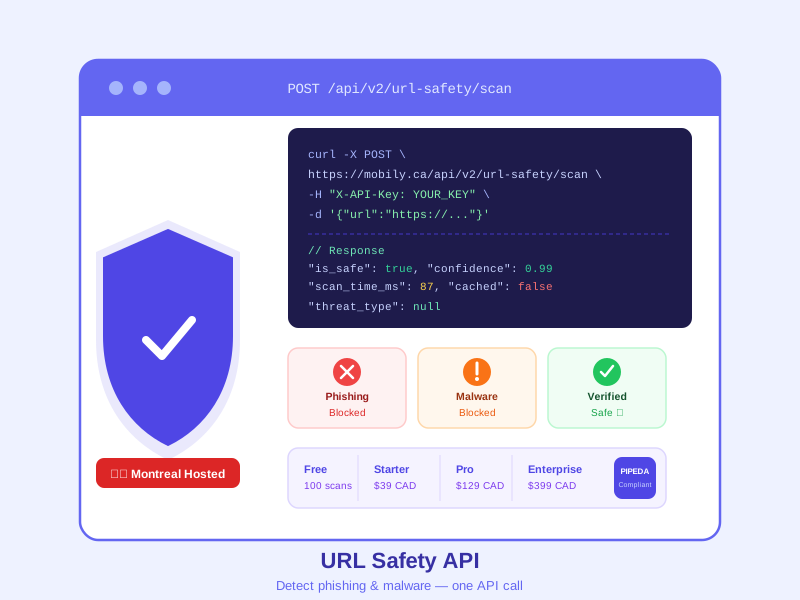
Before you open an unfamiliar URL, paste it into a trusted scanner — Mobily's free link safety checker runs 7 parallel scans (including Google Safe Browsing) and returns a verdict in under a second, without requiring a signup.
Why Checking Links Matters
A URL can look legitimate and still route you through a redirect chain that ends on a malicious page. Shortened URLs add another layer of opacity — you cannot see the destination until you click. Link checkers break that opacity by resolving the final destination and cross-referencing it against threat intelligence databases.
Common threats that link checkers catch:
- Phishing pages that mimic bank, CRA, or retailer login screens
- Drive-by malware that executes on page load without user interaction
- Redirect hijacking where a legitimate-looking domain forwards to a malicious final URL
- Credential harvesting forms disguised as contests, surveys, or login prompts
For businesses, the stakes are higher. A single employee clicking a malspam link can be the entry point for a ransomware infection. Building a habit of checking unfamiliar links is a low-effort, high-impact security control.
1. Mobily URL Safety Checker (Best for Canadians)
Mobily's free URL safety checker is purpose-built for quick, no-account link verification. Paste a URL, click check, and get a clear safe-or-flagged verdict within seconds. The tool resolves redirect chains to expose the final destination URL before you commit to clicking.
Strengths:
- No account required — paste and check immediately
- Resolves full redirect chains, not just the first hop
- Results are plain-language, not a wall of technical threat IDs
- Hosted in Canada — your checked URLs are not sent to US data brokers
- Integrated with Google Safe Browsing for broad threat coverage
Limitations:
- Does not provide a detailed per-engine breakdown (by design — result clarity is prioritized over technical detail)
- Not suited for bulk URL scanning
Best for: Canadians who want a fast, private check on a single suspicious link without sharing that URL with an American analytics platform.
2. Google Safe Browsing Transparency Report
Google's Safe Browsing Transparency Report at transparencyreport.google.com/safe-browsing/search lets you check any URL against Google's own threat database — the same database that powers Chrome's built-in warnings.
Strengths:
- Backed by Google's massive crawl and threat intelligence infrastructure
- No account required
- Authoritative source — if Chrome would warn you, this tool tells you why
Limitations:
- Only checks Google's own database — zero-day threats not yet crawled by Google will not appear
- Does not resolve redirect chains — you must paste the final URL yourself
- Interface is bare-bones with minimal context on what a "dangerous" flag means
Best for: Verifying whether Chrome's Safe Browsing has already flagged a specific URL. Good as a secondary check.
3. VirusTotal
VirusTotal (virustotal.com) scans submitted URLs against 70+ antivirus engines and threat intelligence feeds simultaneously. It is the most technically comprehensive free option available.
Strengths:
- Aggregates results from 70+ engines — if something is flagged anywhere, VirusTotal catches it
- Shows a full breakdown by engine, including which specific vendors flagged the URL and why
- Useful for security researchers who need the technical detail
- Free with no account for basic scans
Limitations:
- Results can be overwhelming for non-technical users — 70 engine outputs require interpretation
- False positives exist; a URL flagged by 1 of 70 engines is not necessarily dangerous
- Submitted URLs may be shared with VirusTotal's partner community — do not submit confidential internal URLs
- Owned by Google (Alphabet) — data handling is subject to US law
Best for: Security professionals, IT teams, or anyone who needs a detailed technical breakdown of a suspicious URL across multiple threat feeds.
4. URLVoid
URLVoid (urlvoid.com) checks a URL against a curated set of blocklists and reputation databases, including PhishTank, Google Safe Browsing, Sucuri, and others. It focuses on domain reputation rather than live page content scanning.
Strengths:
- Clear reputation score and blocklist hit summary
- Shows domain registration age, which is a useful indicator (newly registered domains are higher risk)
- No account required for basic checks
- Includes WHOIS data and DNS records in the output
Limitations:
- Does not scan page content — a malicious page on a reputable domain will not be flagged
- Blocklist coverage is narrower than VirusTotal
- Interface shows ads alongside results, which can be visually distracting
Best for: Checking the reputation of an unfamiliar domain, especially for newly registered domains that appear in phishing campaigns.
5. Norton Safe Web
Norton Safe Web (safeweb.norton.com) provides a community-and-engine-backed safety rating for URLs. It draws on Norton's own threat intelligence combined with user reports.
Strengths:
- Consumer-friendly interface — results are clear and colour-coded
- Combines automated scanning with community reputation signals
- Useful for checking websites you are considering doing business with, not just suspicious links
Limitations:
- Community ratings can be gamed or slow to update for new threats
- Less comprehensive than VirusTotal for novel malware
- US-hosted — data processed under US law
- Occasionally prompts to install Norton software
Best for: Non-technical users who want a simple safe/unsafe answer with a consumer-friendly interface.
Quick Recommendation:
For everyday link checking, start with Mobily (fast, private, no account needed). For deep technical analysis on suspected malware, use VirusTotal as a second layer.
Which Tool Should You Use?
For most Canadians checking a single suspicious link quickly, Mobily's URL safety checker covers the common cases with the least friction. For security teams needing multi-engine detail, VirusTotal is the standard. For domain reputation research, URLVoid adds useful WHOIS and registration-age context.
Using two tools takes less than a minute and provides substantially more confidence than one alone. A practical workflow: check with Mobily first for a fast result, then run VirusTotal if the link is still suspect or if you need documentation of the threat for an incident report.
The best link checker is the one you actually use before clicking. Pick one, make it a habit, and you will sidestep the vast majority of phishing and malware links that land in your inbox.
Check Any Link for Free
Paste a URL into Mobily's link checker and get a safety verdict in seconds. No account required.
Check a Link Now