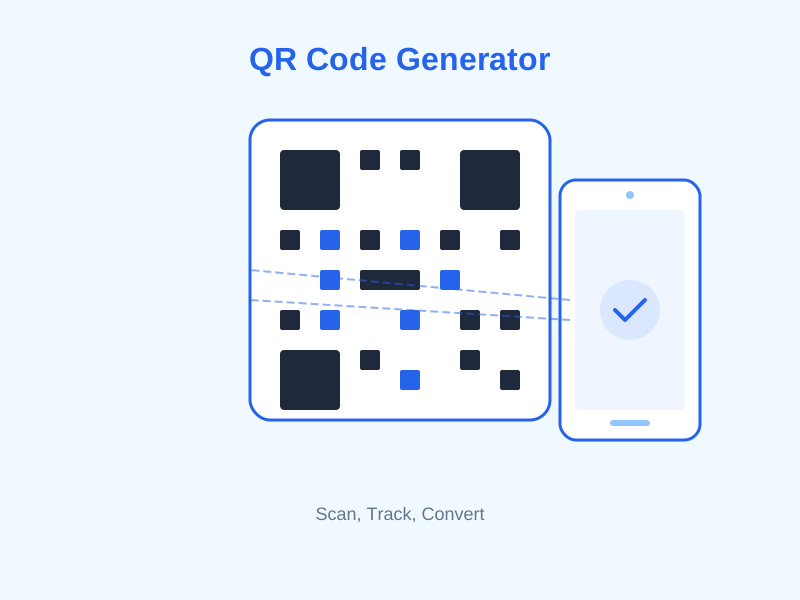
QR codes have gone from a novelty to a genuine business necessity. You see them on restaurant menus, retail packaging, business cards, event posters, and store windows. In Canada alone, QR code usage surged by over 200% between 2020 and 2024, and the trend shows no signs of reversing. If your business is not using QR codes yet, you are leaving a frictionless engagement channel completely untapped.
The good news: creating professional QR codes no longer requires expensive software or a graphic design degree. With a modern free QR code generator, you can produce high-quality, scannable codes for any use case in under two minutes. In this guide, we will walk through the seven most valuable QR code types for businesses, explain exactly what each one does, and show you how to create them.
What Makes a QR Code Generator Worth Using?
Not all QR code tools are created equal. Before you commit to a platform, there are a few characteristics that separate genuinely useful generators from the throwaway ones.
Dynamic vs. Static QR Codes
Static QR codes encode the destination directly into the pattern itself. Once printed, the destination cannot be changed. If you put a static QR code on 5,000 product packages and later change your landing page URL, every single one of those codes becomes broken.
Dynamic QR codes point to a redirect URL that you control. The pattern on the physical material never changes, but you can update where it sends people at any time from your dashboard. For any business use case, dynamic codes are strongly preferred.
Analytics and Tracking
A QR code that gives you zero data about who scanned it, when, or on what device is only half as useful as it could be. Look for a generator that tracks scans over time, device type, and geographic location. This data helps you measure ROI on printed materials — something previously impossible with offline marketing.
Customization and Branding
Generic black-and-white QR codes work fine, but branded codes — featuring your logo, brand colours, and a custom shape — consistently achieve 30-40% higher scan rates according to industry studies. Branding also signals legitimacy to users who are cautious about scanning unknown codes.
Mobily's QR code generator supports all seven of the types covered in this guide, generates dynamic codes, and provides per-scan analytics for paying plans. You can get started on the free plan immediately with no credit card required.
The 7 QR Code Types Every Business Should Know
1. URL QR Codes — Your Most Versatile Tool
The URL QR code is the foundation of everything else. It encodes a web address and takes the scanner directly to that page when they scan it. Simple, fast, and universally understood by every modern smartphone camera.
Use cases are almost endless: link a product package to an explainer video, send a restaurant menu to a dining table, direct a trade show attendee to your lead capture page, or attach a support page to a physical appliance. URL QR codes are the Swiss Army knife of the format.
Best practice: Always use a shortened, branded URL inside your QR code rather than a raw long URL. A URL like mobily.ca/menu produces a simpler, less dense QR pattern than a 120-character URL, which means faster scanning and better readability at small print sizes. You can create both the short link and the QR code together inside Mobily's platform.
Pro tip: Use UTM parameters on the destination URL so Google Analytics (or any analytics tool) can attribute traffic specifically to that QR code placement. Mobily's UTM builder makes this straightforward.
2. vCard QR Codes — The Modern Business Card
The vCard QR code is one of the most powerful networking tools available to business professionals today, yet it remains severely underused. When someone scans a vCard QR code, their phone offers to save a full contact record — name, title, company, phone number, email address, website, and even a photo — directly to their address book. No typing, no lost cards, no transcription errors.
The business case is compelling. According to a 2023 study, 88% of paper business cards are thrown away within a week of being received. A vCard QR code printed on a card — or displayed on your phone screen — creates a persistent contact record that survives the wastebasket.
Mobily's digital business card feature lets you build a complete vCard profile and generate the corresponding QR code. The contact information is stored on Mobily's servers, meaning you can update your phone number or title without reprinting anything — the QR code always delivers current information.
Ideal for: Sales professionals, consultants, freelancers, real estate agents, healthcare providers, and anyone who attends networking events regularly.
3. WiFi QR Codes — Remove the Password Friction
Every business that has a waiting room, café, retail floor, or event space faces the same recurring moment: a customer asks for the WiFi password, a staff member has to find it, write it on a napkin or recite a 20-character string, and both parties lose 90 seconds of their day.
A WiFi QR code eliminates this entirely. It encodes the network name (SSID), security protocol (WPA2, WPA3, or open), and password into a single scannable code. When a customer scans it, their device connects automatically — no typing required.
Setup: Generate a WiFi QR code, print it at a reasonable size (minimum 3cm x 3cm for reliable scanning), laminate it, and place it at your counter, on tables, or at the entrance. Update it whenever you change the password — with a dynamic code, you simply update the credential in your dashboard and the same printed code continues to work.
Security note: Because the password is encoded in the QR code, anyone who photographs the code gains access to your network. Use a separate guest network rather than your primary business network for customer WiFi.
4. Social Media QR Codes — Grow Your Following Offline
Social media growth typically happens online. But there is a huge underutilized audience that interacts with your business in physical spaces — in your store, at events, on your packaging — who never end up following you online because there is no bridge between the physical and digital touchpoints.
A social media QR code creates that bridge. You can configure it to link directly to your Instagram profile, Facebook page, LinkedIn company page, TikTok account, YouTube channel, or any combination via a bio link landing page. When someone scans it, they land on your profile or a page with all your social links in one place.
High-impact placements:
- Product packaging inserts that invite customers to share photos and tag you
- In-store signage near the point of sale ("Follow us for exclusive offers")
- Receipts and bags
- Event booth displays
- Staff name badges at conferences
- Email signature linked to a printed handout
Pairing a social QR code with a Mobily bio link page gives you one scannable code that presents all your social profiles in a clean, branded interface — rather than forcing you to choose just one network.
5. Payment QR Codes — Accept Money Without a Terminal
Payment QR codes are embedded with a payment URL — typically from Interac e-Transfer, PayPal, Stripe, Square, or a cryptocurrency wallet. When scanned, the user's device opens the payment interface directly, pre-populated with your receiving details.
This is particularly useful for:
- Market vendors and pop-ups who want a contactless payment option alongside cash
- Invoices and estimates — embed a payment QR on PDF invoices so clients can pay instantly on mobile
- Tipping — service businesses like salons, coffee shops, and food trucks can display a payment QR for tips without awkward card-reader prompts
- Event registration — collect payment at the door without a POS system
- Freelancers and consultants — include on proposal documents and presentation slides
Canadian context: Interac QR payment codes are natively supported by most Canadian banking apps. If your business already uses Interac e-Transfer for business, generating a QR code that deep-links to your e-Transfer request page is a simple, low-friction upgrade to your payment flow.
6. Event QR Codes — Simplify Registration and Check-In
Event QR codes can encode a calendar invite (iCal format) or a link to your event registration page. When someone scans a calendar QR code, their phone prompts them to save the event — including date, time, location, and description — directly to their calendar app.
This is enormously valuable for event marketers. Instead of asking attendees to manually type event details, a single scan saves everything perfectly. Scan rates on event promotional materials that include a calendar QR code are typically 3-5x higher than on materials with only a URL listed.
Use the URL variant for events when you need:
- Attendee registration with a form
- Ticket purchase or RSVP flow
- Virtual event links (Zoom, Teams, Google Meet)
- Event recap pages after the event
Use the calendar variant when you want:
- Direct calendar saves from printed materials (posters, flyers, brochures)
- Conference session schedules
- Recurring events like weekly classes or monthly meetups
7. App Download QR Codes — Bridge Print to Install
If your business has a mobile app, getting people from a physical touchpoint (a package, a sign, a receipt) to the App Store or Google Play is a journey with a lot of drop-off. App download QR codes use device detection to route iOS users to the App Store listing and Android users to Google Play — automatically, without any user effort.
This smart routing is the key feature. A single QR code on a product package handles both major platforms seamlessly. Without it, you would either need two separate codes side by side or risk sending half your audience to the wrong store.
Where to place app download QR codes:
- Product packaging and inserts
- In-store signage and counter cards
- Print advertising
- Direct mail pieces
- Email footers (yes, some users read email on desktop and want to get your app on mobile)
How to Create QR Codes for Free with Mobily
Creating any of the seven QR code types above takes less than two minutes on Mobily. Here is the process:
- Create a free account at mobily.ca/register — no credit card required.
- Navigate to the QR Code Generator from your dashboard sidebar.
- Select your QR code type from the type selector (URL, vCard, WiFi, Social, Payment, Event, App Download).
- Fill in the required fields for your chosen type.
- Customize the appearance — colour scheme, corner style, and embed your logo if desired.
- Download in PNG or SVG format. Use SVG for print materials (it scales to any size without pixelation).
Free plan users can generate URL and vCard QR codes and download them immediately. Paid plans unlock all seven types, dynamic codes (editable destinations), scan analytics, and higher-resolution exports suitable for large-format printing.
QR Code Design Best Practices
Minimum Size Requirements
A QR code printed too small will fail to scan reliably, especially in low light or at an angle. The general rule is a minimum of 2cm x 2cm for short-distance scanning (table cards, handouts). For materials viewed from 30cm or more (posters, signage), scale up proportionally — roughly 1cm of code size per 10cm of intended viewing distance.
Contrast Is Non-Negotiable
QR codes rely on the contrast between the dark modules and the light background. Dark code on a white or very light background is the safest combination. Avoid placing QR codes over photographs, busy patterns, or low-contrast backgrounds. If you must use a coloured background, ensure the contrast ratio is at least 4:1.
Always Include a Call to Action
A QR code sitting alone on a page gives users no reason to scan it. Always pair the code with a short call to action: "Scan to view our full menu," "Scan to save our contact," or "Scan to get 10% off your first order." QR codes with adjacent CTAs consistently outperform standalone codes.
Test Before You Print
Before finalising any print job, test your QR code with at least three different devices: an iPhone, an Android phone, and ideally a device with a budget camera. Test under realistic lighting conditions — including the dim lighting of the environment where the code will actually be displayed.
Measuring QR Code ROI
One of the strongest arguments for dynamic QR codes over static ones is the analytics data they provide. With Mobily's QR analytics (available on Starter plan and above), you can see:
- Total scans over any date range
- Scans by device type (iOS vs. Android vs. other)
- Geographic breakdown by province or city
- Scan trends over time (daily, weekly, monthly)
- Unique vs. repeat scanners
This data allows you to compare performance across different placements, identify peak engagement periods, and calculate a real cost-per-scan for printed materials — metrics that were simply unavailable to offline marketers before dynamic QR codes existed.
Get Started Free Today
QR codes are one of the highest-ROI additions you can make to your business's marketing toolkit. They are free to create, simple to deploy, and they close the gap between your physical presence and your digital channels instantly. Whether you are printing business cards, hanging a window sign, or packing a shipping box, there is a QR code type that can add measurable value to that touchpoint.
Mobily's free QR code generator supports all seven types covered in this guide. Create your free account and generate your first QR code in under two minutes — no credit card, no commitment, no limit on the number of codes you can create on the free plan. When you are ready to unlock dynamic codes and scan analytics, our paid plans start at $19 per month.