Why You Should Check Every Link Before Clicking
Cybercrime cost Canadians over $530 million in 2023 according to the Canadian Anti-Fraud Centre. A significant portion of these losses started with a single click on a malicious link — in an email, text message, social media post, or website.
Phishing attacks have become increasingly sophisticated. Gone are the days of obvious scam emails with broken English. Today, malicious links hide behind legitimate-looking domains, shortened URLs, and even QR codes. Knowing how to verify a link before clicking is now an essential digital skill.
This guide covers the practical methods anyone can use to check if a link is safe, the warning signs to watch for, and the free tools available to protect yourself.
How Malicious Links Work
Understanding the threat helps you recognize it. Here are the four most common types of dangerous links:
1. Phishing Links
These links take you to a fake website that looks identical to a real one — your bank, your email provider, or a popular shopping site. The goal is to steal your login credentials. A phishing link might look like secure-bankofcanada.com instead of the real bankofcanada.ca.
2. Malware Download Links
Clicking these links automatically downloads malicious software to your device. The file might appear as a PDF invoice, a software update, or a document you were expecting. Once installed, malware can steal files, record keystrokes, or encrypt your data for ransom.
3. Redirect Chain Links
These links pass through multiple redirects before landing on a malicious page. Each redirect makes the link harder to trace and helps attackers evade security filters.
4. Shortened URL Scams
URL shorteners like Bitly and TinyURL are useful tools, but scammers exploit them to hide malicious destinations. A shortened link reveals nothing about where it goes, which is why trusted shorteners like Mobily include safety scanning powered by Google Safe Browsing.
5 Ways to Check If a Link Is Safe
Method 1: Use a Free Link Checker Tool
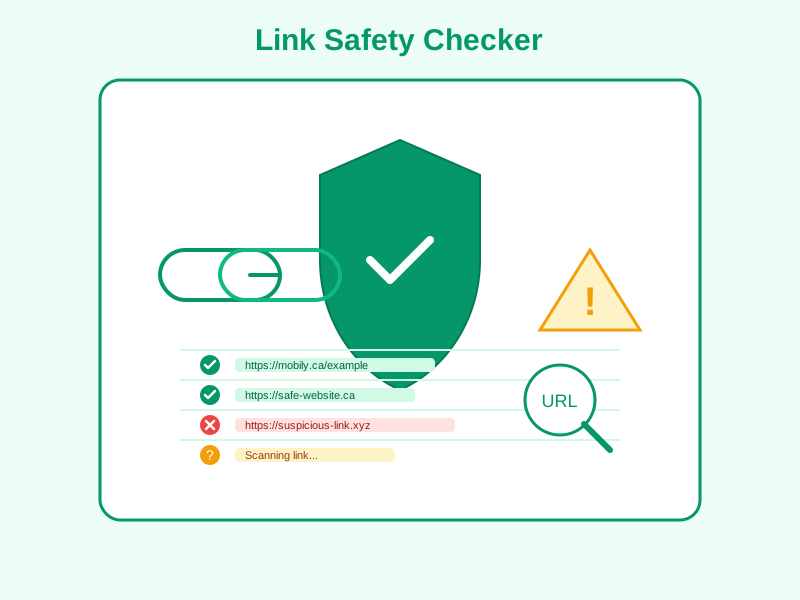
The fastest way to verify any link is to paste it into a link checker tool before clicking. Mobily's free URL Safety Checker scans links against Google Safe Browsing's database of known threats, checking for malware, phishing, and unwanted software.
Simply copy the suspicious link, paste it into the checker, and get an instant safety verdict — without ever visiting the link yourself.
Method 2: Hover Before You Click
On a desktop computer, hover your mouse over any link without clicking. Your browser will show the actual destination URL in the bottom-left corner. Check for:
- Domain mismatches: An email from "Amazon" but the link goes to
amaz0n-deals.ru - Suspicious TLDs: Legitimate Canadian businesses use
.ca,.com, or.org - IP addresses instead of domains: Links like
http://192.168.1.1/loginare almost always malicious - Misspelled domains:
gooogle.com,paypa1.com,faceb00k.com
Method 3: Check the SSL Certificate
If you have already clicked a link, check for the padlock icon in your browser address bar. While HTTPS alone does not guarantee safety, the absence of HTTPS on a login page or payment form is a definite red flag.
Method 4: Use Google Safe Browsing Transparency Report
Google maintains a public database of unsafe websites. Visit transparencyreport.google.com/safe-browsing and enter any URL to check Google's assessment. This is the same database that powers Chrome's built-in warnings and Mobily's safety checker.
Method 5: Check with Multiple Scanners
For high-stakes links (financial transactions, legal documents), verify with multiple tools. VirusTotal aggregates results from 70+ security vendors. For quick everyday checks, a single trusted scanner like Mobily's is usually sufficient.
Link Safety by the Numbers: Canada in 2026
The scale of link-based threats in Canada is growing rapidly. Here are the key statistics every Canadian should know:
- 1 in 4 Canadians have clicked a phishing link at some point, according to the Canadian Internet Registration Authority (CIRA)
- Phishing was the #1 cyber threat reported to the Canadian Centre for Cyber Security in 2025
- Small businesses lose an average of $25,000 per successful phishing attack in Canada
- 66% of malware is now delivered through malicious links in email, surpassing attachments as the primary delivery method
- Shortened URLs are 3x more likely to be used in phishing campaigns compared to full-length URLs, because they hide the destination
These numbers make one thing clear: checking links before clicking is not optional — it is a necessary habit for personal and business security.
How Link Checkers Protect Canadian Businesses Under PIPEDA
Under PIPEDA (Canada's federal privacy law), organizations that experience a data breach must report it to the Office of the Privacy Commissioner within 72 hours. Many breaches begin with a single employee clicking a malicious link.
Using a link checker as part of your standard operating procedure creates a documented security practice that demonstrates due diligence. If a breach occurs, showing that your organization had link-checking protocols in place can mitigate regulatory consequences.
Industries at Highest Risk
While all Canadian businesses face link-based threats, some industries are targeted more frequently:
- Financial services: Phishing links impersonating banks and payment processors
- Healthcare: Fake appointment confirmations and insurance claim links
- Legal firms: Spoofed document-sharing links targeting privileged communications
- Real estate: Wire fraud through fake closing document links
- Government and education: Credential harvesting through fake portal login pages
Mobile Link Safety: The Growing Threat
Over 60% of phishing links are now opened on mobile devices, where the full URL is often hidden by the small screen. Canadian mobile users face additional risks:
- SMS phishing (smishing): Text messages claiming to be from Canada Post, CRA, or your bank with a link to "verify your identity"
- Social media DMs: Instagram and Facebook messages from compromised friend accounts containing malicious links
- QR code scams: Fake QR codes placed over legitimate ones in restaurants, parking meters, and public spaces
On mobile, the hover-to-preview technique does not work. Your best protection is copying the link and pasting it into a link checker tool before opening it.
Red Flags: Signs a Link May Be Dangerous
Watch for these warning signs before clicking any link:
- Urgency language: "Your account will be suspended in 24 hours"
- Unknown sender: Email from someone you did not expect
- Mismatched URL: Button says "Login" but URL is not the real site
- Too good to be true: "You won a $1,000 gift card"
- Shortened URL from stranger: Random short link in a comment or DM
- Request for personal info: "Confirm your SIN to receive your refund"
How to Protect Your Organization
For Canadian businesses handling customer data, link safety is a compliance issue under PIPEDA. If an employee clicks a phishing link that leads to a data breach, your organization is required to report it to the Office of the Privacy Commissioner within 72 hours.
Best Practices for Teams
- Train employees quarterly on recognizing phishing attempts
- Use a link checker before sharing — verify any URL in outgoing communications
- Enable browser safe browsing — Chrome, Firefox, and Edge all have built-in protection
- Report suspicious links to the Canadian Anti-Fraud Centre
- Use branded short links from a trusted Canadian provider
What to Do If You Clicked a Suspicious Link
- Disconnect from the internet — prevents malware from communicating with its command server
- Do not enter any credentials — if you see a login page, close the tab immediately
- Run a full antivirus scan — use Windows Defender, macOS XProtect, or a trusted tool
- Change passwords — especially if you entered credentials on the suspicious page
- Enable two-factor authentication — on all critical accounts
- Monitor your accounts — watch for unauthorized activity over the next 30 days
- Report it — to your IT department and the Canadian Anti-Fraud Centre
Frequently Asked Questions
Is it safe to click a shortened URL?
It depends on the source. Shortened URLs from trusted senders and branded domains are generally safe. Random short links from unknown sources should always be checked first with a link safety checker.
Can a link infect my phone?
Yes. Mobile devices are vulnerable to phishing and malware through links in text messages, social media DMs, and email.
How does Google Safe Browsing work?
Google maintains a constantly updated database of websites known to contain malware, phishing, or unwanted software. Link checker tools powered by Google Safe Browsing check URLs against this database in real time.
What is the safest link checker to use?
Any tool that uses Google Safe Browsing or VirusTotal databases is reliable. Mobily's free URL Safety Checker uses Google Safe Browsing and requires no registration.
Are all HTTPS links safe?
No. HTTPS means the connection is encrypted, but it does not verify the identity or intent of the website owner. Phishing sites regularly use HTTPS.
Conclusion: Check First, Click Second
In 2026, checking links before clicking is as important as locking your front door. With phishing attacks targeting Canadian businesses and individuals daily, a simple 5-second safety check can prevent weeks of damage control.
Use Mobily's free link checker to verify any suspicious URL instantly — no account required, powered by Google Safe Browsing.